
Pubblicato:
Ultimo aggiornamento (contenuto):
Ultimo aggiornamento (prezzi):
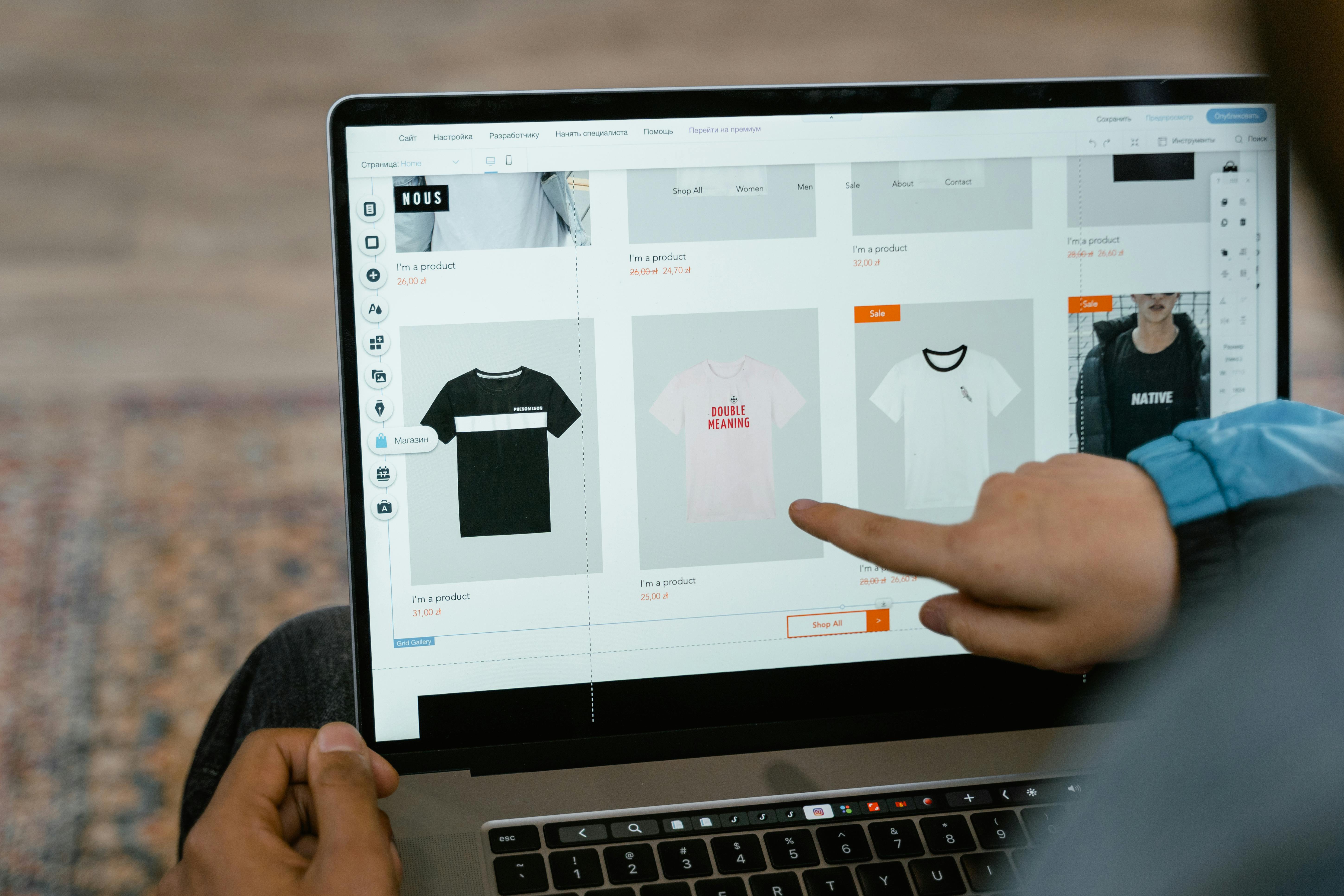
Le associazioni svizzere possono creare il proprio negozio online di merchandise, biglietti per eventi e iscrizioni ai corsi senza alcuna conoscenza di programmazione. Per questo scopo sono ideali i cosiddetti mini-webshop o negozi one-page, ospitati presso un Payment Service Provider (PSP) e in grado di accettare pagamenti tramite TWINT, carta di credito, PostFinance e Apple Pay. La configurazione richiede meno di un'ora, i costi partono da zero franchi fissi più commissioni di transazione di circa l'1.3–2.5 % per vendita.
Questa guida confronta i tre canali di vendita più comuni per le associazioni, mostra tre casi d'uso concreti (fan shop, negozio di biglietti, iscrizione ai corsi) e spiega passo dopo passo come configurare il negozio della tua associazione.
1. Perché ha senso avere un proprio negozio dell'associazione
Molte associazioni vendono maglie tramite messaggi WhatsApp, biglietti per concerti tramite bonifico bancario e posti ai corsi con una stretta di mano durante l'allenamento. Funziona, finché non smette di funzionare: gli ordini vanno persi, i pagamenti mancano, il cassiere perde il controllo della situazione. Un semplice negozio online risolve tre problemi contemporaneamente: mostra l'offerta, acquisisce l'ordine e incassa il pagamento, tutto in un unico passaggio.
Per mini-webshop (chiamato anche negozio one-page) si intende una singola pagina web con pochi prodotti, direttamente collegata a una soluzione di pagamento. A differenza di un negozio e-commerce completo (ad es. woocommerce, shopify), un mini-webshop non richiede un dominio proprio, né hosting o manutenzione tecnica. È l'ideale per le associazioni che vendono da 3 a 20 prodotti.
2. Tre casi d'uso: come le associazioni utilizzano il proprio negozio online
2.1 Fan shop di associazioni sportive: maglie, cappellini e borracce
Un'associazione di calcio o di unihockey offre ai suoi membri e tifosi il merchandise dell'associazione: maglie (CHF 65–85), cappellini (CHF 25), borracce (CHF 15) e felpe con cappuccio (CHF 55). Nel mini-webshop, l'acquirente seleziona il prodotto, la taglia e il colore, inserisce il proprio indirizzo e paga immediatamente. L'associazione riceve l'ordine comprensivo di pagamento e spedisce il prodotto o offre il ritiro alla successiva partita in casa.
2.2 Negozio di biglietti per associazioni culturali: concerti, teatro, letture
Un'associazione bandistica vende i biglietti per il suo concerto annuale (CHF 25 adulti, CHF 15 bambini). Invece di vendere i biglietti in contanti all'ingresso, allestisce un negozio di biglietti online. L'acquirente seleziona la categoria, paga tramite TWINT o carta di credito e riceve un'e-mail di conferma che funge da biglietto. All'ingresso, la conferma viene scansionata tramite smartphone o stampa, oppure controllata manualmente. Vantaggio: l'associazione conosce in anticipo il numero di visitatori e può pianificare meglio il catering.
2.3 Associazione di corsi: abbonamento yoga, corso di cucina, campo di allenamento
Un'associazione di yoga offre un abbonamento da 10 lezioni a CHF 180 e lezioni singole a CHF 22. Un'associazione di cucina vende singoli posti per i corsi (CHF 75 a serata). Nel mini-webshop, la pagina del prodotto funge anche da modulo di registrazione: nome, e-mail, corso desiderato e data. Il pagamento avviene direttamente al momento dell'iscrizione, così l'associazione evita di dover sollecitare i pagamenti. Per le offerte ricorrenti sono ideali i modelli di abbonamento con addebito mensile automatico.
3. Tre canali di vendita a confronto
Non tutte le associazioni hanno bisogno di un proprio negozio web. A seconda dell'offerta, del pubblico target e del know-how tecnico, si possono considerare tre approcci.
Criterio | Proprio negozio web (woocommerce, shopify) | Mini-webshop / Negozio One-Page (PSP) | Vendita tramite social media (Instagram, WhatsApp) |
Impegno di configurazione | Elevato (dominio, hosting, plugin, design) | Minimo (30–60 min., senza codice) | Molto basso (creazione del post) |
Costi dell'infrastruttura | CHF 15–50/mese (hosting + plugin) | da CHF 0 (possibile abbonamento gratuito) | CHF 0 |
Commissioni di transazione | circa 1.3–2.5 % (commissione PSP) | circa 1.3–2.5 % (inclusa nell'abbonamento) | Nessuna (ma anche nessun pagamento integrato) |
Mezzi di pagamento | TWINT, carta, PostFinance (via plugin) | TWINT, carta, PostFinance, wallet | Manuale (bonifico bancario, richiesta TWINT) |
Numero di prodotti | Illimitato | 3–50 (a seconda del fornitore) | Nessuna gestione strutturata |
Gestione degli ordini | Sì (backend con tracciamento dello stato) | Sì (Dashboard, esportazione CSV) | No (manualmente via chat) |
Campi del modulo (nome, taglia ecc.) | Sì (plugin) | Sì (a seconda del fornitore) | No |
Ideale per | Associazioni con oltre 20 prodotti e una propria presenza web | Associazioni con 3–20 prodotti, senza un proprio sito web | Vendita occasionale, piccoli importi |
Suggerimento: per la maggior parte delle associazioni, il mini-webshop rappresenta la soluzione ideale: poco sforzo, elaborazione professionale dei pagamenti, funzioni sufficienti. Un negozio web completo conviene solo se l'associazione gestisce un assortimento ampio e aggiunge regolarmente nuovi prodotti.
4. Passo dopo passo: configurare il negozio dell'associazione
4.1 Definire i prodotti
Stabilisci quali prodotti la tua associazione vuole vendere online. Mantieni l'elenco breve: 5–10 prodotti sono sufficienti per iniziare. Per ogni prodotto hai bisogno di: nome, prezzo in CHF, descrizione (1–2 frasi), una foto ed eventualmente varianti (taglia, colore). Per i biglietti: data dell'evento, categoria, quantità disponibile. Per i corsi: data, ora, istruttore, limite di partecipanti.
4.2 Configurare il negozio
Registrati presso un PSP che offre mini-webshop, come Payrexx Pages, MyCommerce o uno strumento svizzero simile. Carica il logo della tua associazione, scegli i colori e aggiungi i prodotti con foto, descrizione e prezzo. Attiva i mezzi di pagamento: TWINT, carta di credito e di debito (Visa, Mastercard), PostFinance Pay. Testa il negozio con un pagamento di prova (importo minimo, poi annullalo).
4.3 Vendere e promuovere
Condividi il link del negozio via e-mail con i membri, pubblicalo sui social media e stampalo come codice QR sui volantini. Per i preordini (ad es. le maglie prima dell'inizio della stagione), imposta una finestra d'ordine con una data d'inizio e di fine. Per i biglietti comunica chiaramente: «Assicurati i biglietti online – posti limitati». Per i corsi invia il link direttamente con la conferma del corso.
4.4 Combinazione sul posto + online
Molte associazioni vendono sia online che durante la partita o l'evento. Funziona così: il negozio online accetta i preordini (con pagamento immediato). All'evento stesso, i prodotti preordinati sono pronti per il ritiro. Inoltre, incassi dai clienti di passaggio tramite Tap to Pay, terminale POS o codice QR allo stand. Le entrate di entrambi i canali confluiscono nella stessa Dashboard del PSP.
5. Panoramica dei costi: quanto costa il negozio di un'associazione?
La tabella seguente mostra i costi per il tipico negozio di un'associazione con 10 prodotti e 50 ordini al mese, con un prezzo medio di CHF 40.
Fattore di costo | Mini-webshop (abbonamento gratuito) | Mini-webshop (abbonamento standard) | Proprio negozio web (woocommerce) |
Costi fissi/mese | CHF 0 | circa CHF 15–19 | circa CHF 15–50 (hosting + dominio) |
Commissione di transazione (ca.) | 2.5–2.9 % + fisso | 1.65 % + 0.18 CHF | 1.3–2.5 % (a seconda del plugin PSP) |
Costo per 50 txn × CHF 40 | circa CHF 59 | circa CHF 42 + abbonamento | circa CHF 36 + infrastruttura |
Costi annuali (stimati) | circa CHF 708 | circa CHF 684–732 | circa CHF 612 + manutenzione |
Impegno di configurazione | < 1 ora | < 1 ora | 5–20 ore |
Know-how tecnico | Nessuno | Nessuno | Medio–Alto (WordPress, plugin, SSL) |
Risultato: il mini-webshop è la soluzione più conveniente per la maggior parte delle associazioni, se si considera il tempo necessario per la configurazione e la manutenzione. I puri costi di transazione sono leggermente inferiori con un negozio web proprio, ma i costi di infrastruttura e manutenzione non compensano questo aspetto in presenza di volumi ridotti.
6. Checklist: configurare il negozio dell'associazione
Prodotti definiti: nome, prezzo (CHF), descrizione, foto, varianti (taglia, colore)
Conto PSP aperto e verificato (statuto, IBAN, identificazione del comitato direttivo)
Mini-webshop creato: logo, colori, prodotti caricati
Mezzi di pagamento attivati: TWINT, carta di credito, PostFinance
Campi del modulo configurati (nome, indirizzo, taglia – a seconda del prodotto)
Ordine di prova effettuato ed e-mail di conferma controllata
Link del negozio condiviso: e-mail ai membri, social media, codice QR per la stampa
Definito il processo per il ritiro all'evento (stampare la lista degli ordini o spuntarla digitalmente)
Chiarito il processo di rimborso (ad es. in caso di annullamento dell'evento)
Esportare regolarmente gli ordini (CSV) per la contabilità e l'evasione degli ordini
Con «Pages», Payrexx offre un mini-webshop che può essere configurato senza conoscenze di programmazione e che unisce merchandise, biglietti e posti ai corsi con pagamento integrato (TWINT, Kreditkarte, PostFinance, Apple Pay).
I campi del modulo per nome, indirizzo e informazioni personalizzate (ad es. taglia della maglietta o data del corso) possono essere configurati per singolo prodotto. Gli ordini confluiscono in un Dashboard centrale con funzione di esportazione. L'abbonamento gratuito non prevede costi fissi mensili: l'associazione paga solo le commissioni di transazione per ogni vendita.
Domande frequenti sullo shop per associazioni svizzere
Ho bisogno di un sito web mio per creare uno shop dell’associazione?
No. I mini-shop online sono ospitati direttamente presso il PSP e vengono condivisi tramite un link. Non hai bisogno di un dominio, di un hosting e nemmeno di conoscenze tecniche. Puoi diffondere il link dello shop tramite e-mail, social media o codice QR.
Vedi risposta dettagliata
Posso vendere anche biglietti per eventi in quantità limitata con uno shop associativo?
Sì. La maggior parte delle soluzioni di mini webshop consente di indicare una quantità massima di stock per prodotto. Quando tutti i ticket sono venduti, il prodotto viene mostrato automaticamente come «esaurito».
Vedi risposta dettagliata
Come funziona il ritiro all'evento per i preordini online?
Dopo il pagamento, l'acquirente riceve un'e-mail di conferma con il numero d'ordine. All'evento, mostra la conferma sul suo smartphone e riceve il suo prodotto. L'associazione stampa in anticipo la lista degli ordini o la spunta digitalmente nel Dashboard del PSP.
Vedi risposta dettagliata
Posso combinare le iscrizioni ai corsi con il pagamento in un unico passaggio?
Sì. Nel Mini-Webshop configuri il corso come prodotto e aggiungi i campi del modulo: nome, e-mail, data desiderata. Il pagamento avviene direttamente al momento dell'iscrizione: il posto al corso è riservato solo a pagamento avvenuto.
Vedi risposta dettagliata
Quali metodi di pagamento dovrebbe offrire uno shop dell’associazione?
TWINT è il mezzo di pagamento mobile più popolare in Svizzera e dovrebbe essere sempre attivato. Aggiungi almeno Visa e Mastercard (carta di credito e di debito) e PostFinance Pay. Apple Pay e Google Pay aumentano la conversione tra gli acquirenti più giovani.
Vedi risposta dettagliata
Un'associazione deve applicare l'IVA per il suo negozio online?
Di regola no. Le associazioni svizzere, gestite su base volontaria e con un fatturato annuo inferiore a EUR 250’000, sono esenti dall’imposta sul valore aggiunto. Per le associazioni senza esenzione fiscale vale il limite di EUR 100’000.
Vedi risposta dettagliata
Come posso esportare gli ordini per la contabilità dell’associazione?
La maggior parte dei PSP offre un esportazione CSV delle transazioni. Scarichi il file e lo importi nel tuo software di contabilità o in un foglio di calcolo Excel. Questo contiene l'importo, il mezzo di pagamento, la data e i dettagli dell'ordine.
Vedi risposta dettagliata

