
Published:
Last updated (content):
Last updated (prices):
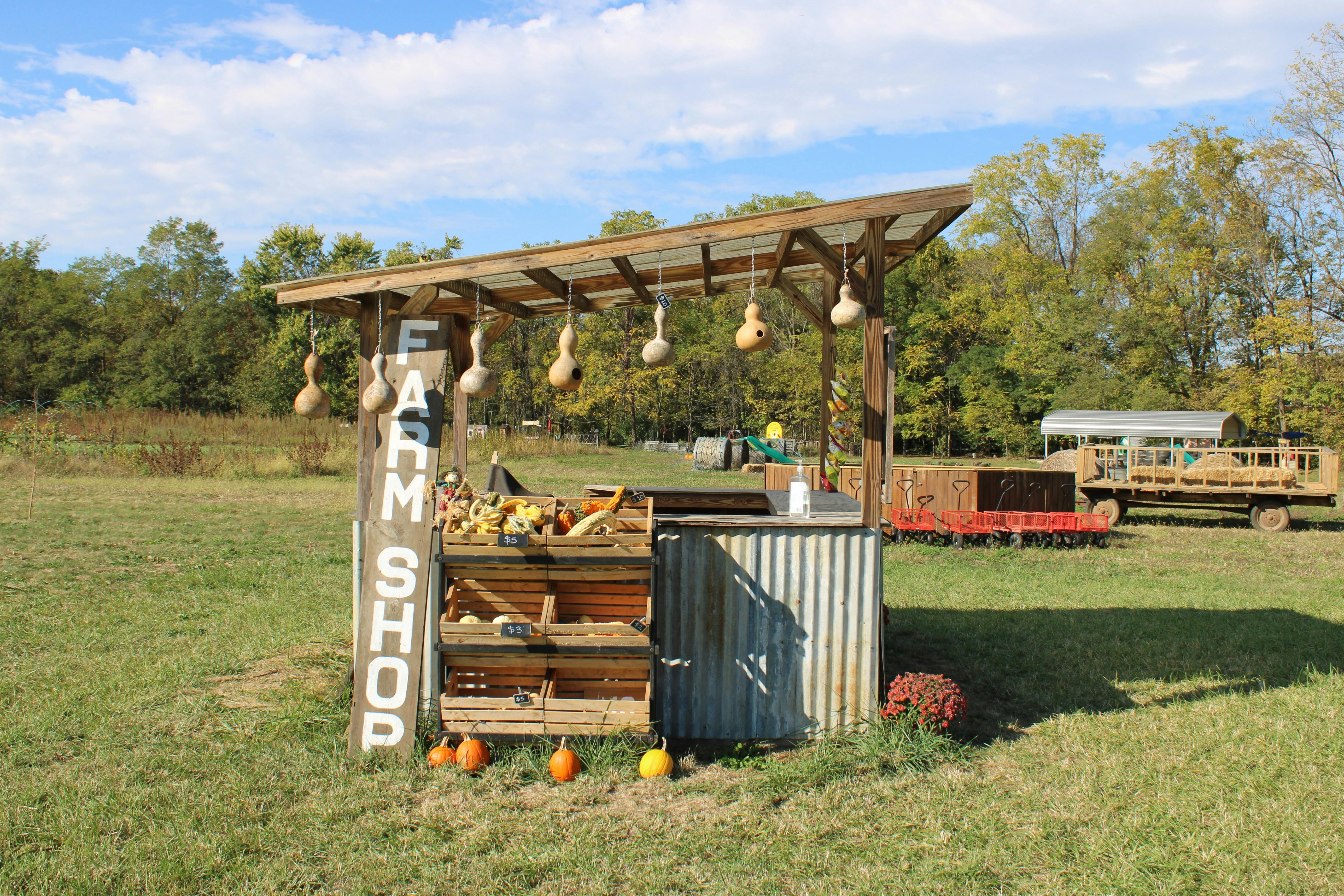
QR-Pay is a QR code that directs to a payment page in the browser – where customers can pay using TWINT, Visa, Mastercard, Apple Pay, Google Pay or PostFinance Pay. For farm shops and weekly markets in Switzerland, this is the most universal solution without hardware: no terminal, no smartphone required from the Comerciante, yet card payments are accepted. The transaction fee is 1.25% + EUR 0.30 per payment on the free plan.
This guide explains the difference between QR-Pay and the traditional TWINT QR sticker, highlights practical use cases for direct marketing, and breaks down the costs.
1. What is QR-Pay and how does it differ from the TWINT QR sticker?
The TWINT QR sticker directly opens the TWINT app. The customer enters the amount themselves and pays via TWINT. Other payment methods are not supported. QR-Pay, on the other hand, opens a payment page in the smartphone browser. All activated payment methods are available there: TWINT, Visa, Mastercard, Apple Pay, Google Pay, PostFinance Pay and more. The customer selects their preferred method, enters the amount (or the amount is already predefined) and completes the payment.
The key difference: QR-Pay is payment method neutral. A single QR code covers all payment methods. This makes QR-Pay particularly valuable for farm shops and market stalls catering to both local Swiss customers (TWINT) and tourists (Visa, Apple Pay).
What happens when someone scans the QR code with the TWINT app?
An important practical point: If a customer scans the QR-Pay code using the TWINT app instead of the smartphone camera, TWINT detects the code and processes the payment directly via TWINT. The customer does not need to open the browser first. This works in parallel: users with TWINT pay directly via TWINT; users without TWINT scan using their camera and land on the payment page.
2. How QR-Pay works: Customer scans, selects payment method, pays
The customer experience is very straightforward: The customer sees the QR code on a shelf, counter or display stand. They open their smartphone camera and scan the code. The browser opens a payment page displaying either a preset amount (e.g. «Egg carton EUR 6») or a product list to choose from. Then they select the payment method – TWINT, card, Apple Pay – and confirm. The payment is complete, and an optional receipt can be sent via email.
For the Comerciante: You generate the QR code once online (e.g. via the Payrexx Dashboard), print it out and display it. After that, no manual handling is required. Every transaction automatically appears in the Dashboard.
3. Available payment methods via QR-Pay
The available payment methods depend on the provider and the activated plan. Via Payrexx QR-Pay, the following methods are supported in Switzerland: TWINT, Visa (Debit and Credit), Mastercard (Debit and Credit), Apple Pay, Google Pay, Samsung Pay, PostFinance Pay and Click to Pay. Thus, a single QR code covers all common Swiss payment methods as well as international cards.
4. QR-Pay in farm shops: Staffed, unstaffed and seasonal
Self-service farm shop (unstaffed)
QR-Pay is the most robust option for unstaffed farm shops: One QR code per product on the shelf (e.g. «Honey EUR 12») or a single QR code featuring a product list from which customers select items. The amount is predefined, preventing underpayments – an advantage that the standard TWINT QR sticker cannot offer. No electricity or local internet connection is needed; the customer's smartphone handles everything.
Staffed farm shop
In a staffed farm shop, QR-Pay serves as an ideal supplement to a terminal or Tap to Pay. A QR code on the counter or checkout offers an additional payment option – particularly helpful during peak times or when the card terminal is in use.
Seasonal market stalls
Strawberries in June, asparagus in April, pumpkins in October: For seasonal stalls, QR-Pay is ideal because no terminal needs to be rented or bought. You print the QR code, put it up, and take it down once the season ends. There are no fixed monthly fees during non-operational months.
5. QR-Pay at the weekly market: Fast checkout without hardware
At the weekly market, you attend to customers in person. QR-Pay functions here as an additional channel alongside cash and terminals. A QR code on a display stand or laminated on the counter allows customers to pay independently while you attend to the next order. Especially useful during busy periods: instead of processing every transaction one by one via terminal, multiple customers can pay concurrently via QR-Pay.
Practical tip: Position the QR code so it is clearly visible and easily scannable from up close. A laminated A5 stand on the counter works well. Label it with «Pay here: TWINT, Card, Apple Pay» and include the accepted payment logos.
6. Costs: What QR-Pay costs per transaction
Method | TWINT QR Sticker | Payrexx QR-Pay | Payment Link |
Payment methods | TWINT only | TWINT, Visa, MC, Apple Pay, Google Pay, PostFinance etc. | Same as QR-Pay (link instead of code) |
Fee (TWINT) | Approx. 1.30% | 1.25% + EUR 0.30 (QR Pay) | 1.30% + EUR 0.30 (Free) / 1.25% + EUR 0.18 (Standard) |
Fee (Card) | Not supported | 1.25% + EUR 0.30 (QR Pay) | 2.50% + EUR 0.30 (Free) / 1.65% + EUR 0.18 (Standard) |
Amount control | No (entered by customer) | Yes (predefined amount) | Yes |
Tourists | No | Yes (Card, Apple Pay) | Yes |
Cost at EUR 12 (TWINT) | EUR 0.16 | EUR 0.45 (QR Pay) | EUR 0.34 (Free) / EUR 0.33 (Standard) |
For very small amounts, the TWINT QR sticker is cheaper: for an egg carton costing EUR 6, the sticker costs EUR 0.08, while QR-Pay costs EUR 0.38. However, QR-Pay supports all major payment methods, enforces the correct amount, and logs every payment in the Dashboard – with zero monthly fees on the Payrexx Free plan.
7. Combining QR-Pay: Integration with terminals and Tap to Pay
QR-Pay does not replace card terminals or Tap to Pay, but rather complements them. Typical combinations for direct sales include:
Unstaffed farm shop: QR-Pay as the primary solution (no terminal required). Weekly market: Terminal or Tap to Pay for rapid checkout, QR-Pay as a secondary lane during peak queues. Seasonal stall: QR-Pay standalone – avoiding fixed charges off-season. Farm shop + online store: QR-Pay transactions and online orders are managed within the same Dashboard.
Important: With Payrexx, all transactions – whether via QR-Pay, Tap to Pay, terminal or online – appear in the same Dashboard. Payouts are bundled to a single bank account, significantly streamlining accounting compared to running separate platforms.
8. Checklist: Setting up QR-Pay for your farm shop or market stall
Open a Payrexx account (the Free plan is sufficient) and complete KYC verification.
Activate QR-Pay in the Dashboard and configure your payment page: products, prices, logo.
Generate QR codes: per product (static) or as a dynamic product list.
Print QR code and mount it weatherproof: laminated, in acrylic glass, or on an aluminium sign.
Test scannability: scan the QR code from various angles and under direct sunlight.
Display payment icons on the stall or shelf: «Pay here: TWINT, Visa, Mastercard, Apple Pay».
Perform a test payment: scan with your smartphone and complete a test transaction.
Update prices regularly: edit online in the Dashboard for dynamic QR codes; print new codes for static ones.
Monitor transactions in the Dashboard: configure payout frequency (daily/weekly).
How to accept cashless payments in your farm shop or market stall with Payrexx QR-Pay
Payrexx QR-Pay is a QR-based payment solution designed specifically for micro-transactions and self-service environments. You configure a payment page with your products and prices in the Payrexx Dashboard, generate a QR code and print it out. Customers scan the code and pay using TWINT, Visa, Mastercard, Apple Pay, Google Pay or PostFinance Pay – directly on a hosted payment page, with no app download required.
The transaction fee is 1.25% + EUR 0.30 – which is EUR 0.38 for a purchase of EUR 6. The Free plan has no monthly base cost (EUR 0 per month). QR-Pay can be seamlessly combined with Tap to Pay, POS terminals, payment links and the Payrexx online shop – all transactions arrive in the same Dashboard, and payouts are bundled to your bank account.
Get started at payrexx.com/products/qr-pay – create your QR code, print it, and start collecting payments.
Frequently asked questions about QR-Pay for farm shops and weekly markets
What is the difference between QR-Pay and a TWINT QR sticker?
The TWINT QR sticker exclusively accepts TWINT. QR-Pay leads to a payment page where all common payment methods are available – TWINT, Visa, Mastercard, Apple Pay, Google Pay and more. QR-Pay also offers amount control: you specify the price.
View detailed response
Do I need a website to use QR-Pay?
No. QR-Pay works via a hosted payment page provided by the payment provider. You do not need your own website, an app or any technical knowledge.
View detailed response
How do I change the prices when my product range changes?
With dynamic QR codes, you change prices and product ranges online in the Dashboard - the physical QR code remains the same. With static QR codes, you have to print a new code when the price changes.
View detailed response
Does QR-Pay also work for tourists without TWINT?
Yes. This is a key advantage over the TWINT QR sticker. Tourists scan the QR code with their smartphone camera and pay with Visa, Mastercard, Apple Pay or Google Pay – without the TWINT app.
View detailed response
Is QR-Pay really cheaper than a TWINT QR sticker?
Not quite. Payrexx QR Pay costs 1.25% + EUR 0.30 per transaction, while the TWINT QR sticker costs around 1.30% with no fixed fee. For a EUR 12 purchase: QR Pay EUR 0.45, TWINT sticker approx. EUR 0.16. In return, QR Pay also offers card payments, wallets, and amount control.
View detailed response
Can I use QR-Pay and a TWINT QR sticker at the same time?
Yes, this is even a common combination. Since QR-Pay also includes TWINT, you can consolidate to a single QR code in the long term u2013 TWINT users scan it with the TWINT app, everyone else with the camera.
View detailed response

