
PrestaShop
Accept a variety of payment methods in your PrestaShop webshop, such as Visa, Mastercard, TWINT, Apple Pay, PostFinance Pay, Google Pay, and more. Your income will then be bundled and reliably paid out via Payrexx.
Payrexx Pay Plugin für PrestaShop
PrestaShop ist eine leistungsstarke E-Commerce-Plattform, mit der Du mühelos Deinen eigenen Onlineshop erstellen und verwalten kannst. Verknüpfe Dein PrestaShop-Konto mit Payrexx und biete Deinen Kund:innen alle bekannten Zahlungsmethoden aus einer Hand an.
Einfache Integration: Installiere das PrestaShop-Plugin, wähle die gewünschten Zahlungsmethoden und leg umgehend los.
Vielfältige Zahlungsmittel: Biete Deiner Kundschaft alle beliebten Schweizer Zahlungsmittel aus einer Hand an.
Einfache Verwaltung: Behalte Deine Transaktionen und Kund:innen stets im Blick – mit vier verschiedenen Methoden für den Zahlungsabgleich.
Sichere Zahlungen akzeptieren: Das PCI-konforme Plugin von Payrexx garantiert Dir eine sichere Zahlungsabwicklung.
Alle Zahlungsmittel aus einer Hand
Payrexx bietet Dir im PrestaShop Zahlungsplugin jede gängige Zahlungsmethode: TWINT, PostFinance, Discover, Amex, Banküberweisung, Visa, Mastercard, Samsung Pay, Google Pay, ApplePay und viele mehr – alles aus einer Hand und ohne zusätzliche Verträge.
Alle Zahlungsmethoden ansehen ➜
Auszahlungen
Die Auszahlung Deiner Einnahmen, die Du mit dem PrestaShop-Plugin oder anderen Payrexx-Lösungen – wie beispielsweise dem Kartenlesegerät, Paylink oder Donation – generierst, erfolgt je nach Einstellung täglich, wöchentlich oder monatlich auf das in Deinem Konto hinterlegte IBAN-Bankkonto.
Eigenentwickeltes PrestaShop-Plugin
Das PrestaShop-Plugin von Payrexx ist selbst entwickelt und wird stetig verbessert. Die Payrexx-Integration für Deinen PrestaShop-Shop steht Dir kostenlos zur Verfügung. Installiere das PrestaShop-Plugin vpn Payerxx einfach in Deinem Shop und empfange noch am gleichen Tag Zahlungen.
Setup Guide
In this guide, we explain how you can set up the official Payrexx PrestaShop plugin and connect it to your online shop.
Transaction fees
Cards from:
1.35%
+
CHF 0.18
TWINT from:
1.25%
+
CHF 0.18
Wallets from:
1.35%
+
CHF 0.18
Compatibility
The PrestaShop integration is available in the price plans STANDARD and PREMIUM.
Questions and Answers about the PrestaShop Plugin
How secure is Payrexx for merchants?
If you integrate Payrexx into your PrestaShop webshop, we guarantee you the highest possible security for every transaction. Payrexx takes the following security precautions:
Personal data, both yours and that of your customers, is stored in compliance with GDPR.
Payrexx is fully PCI DSS Level 1 certified, the highest global security standard for payment data, developed in collaboration with several credit card organisations.
The 3-D Secure process strengthens online payments with additional identification, minimises fraud risks and chargebacks, and ensures the highest security and customer authentication.
Are there any additional fees for using the PrestaShop plugin?
With each transaction, a commission is deducted. You can find the exact transaction fees per payment method on our pricing page.
Apart from the transaction fees, there are no additional fees for the PrestaShop plugin.
How is the money from PrestaShop transactions paid out?
You receive your money from purchases in your PrestaShop store paid directly from Payrexx to your deposited bank account.
You can find more detailed information on how payouts from Payrexx Pay work in our documentation.
How do I integrate the Payrexx plugin for PrestaShop?
Integration is easy. Just follow our step-by-step instructions in the documentation to install the plugin in your PrestaShop store.
Which payment methods does the PrestaShop plugin support?
The plugin supports Mastercard, Visa, AMEX, Maestro, PayPal, Apple Pay, TWINT, Google Pay, Samsung Pay, PostFinance Card, Invoice, bank transfer, Centi, HeidiPay, WIRpay, Masterpass, Reka, Klarna
How do you need to prepare the plugin file for PrestaShop?
You cannot upload the file downloaded from GitHub directly: first, unpack «prestashop-payrexx-gateway-master.zip» and open the folder containing the subfolder «payrexx». Compress this subfolder into a new ZIP file and upload only this one in the module manager.
Where do you install the Payrexx module in PrestaShop?
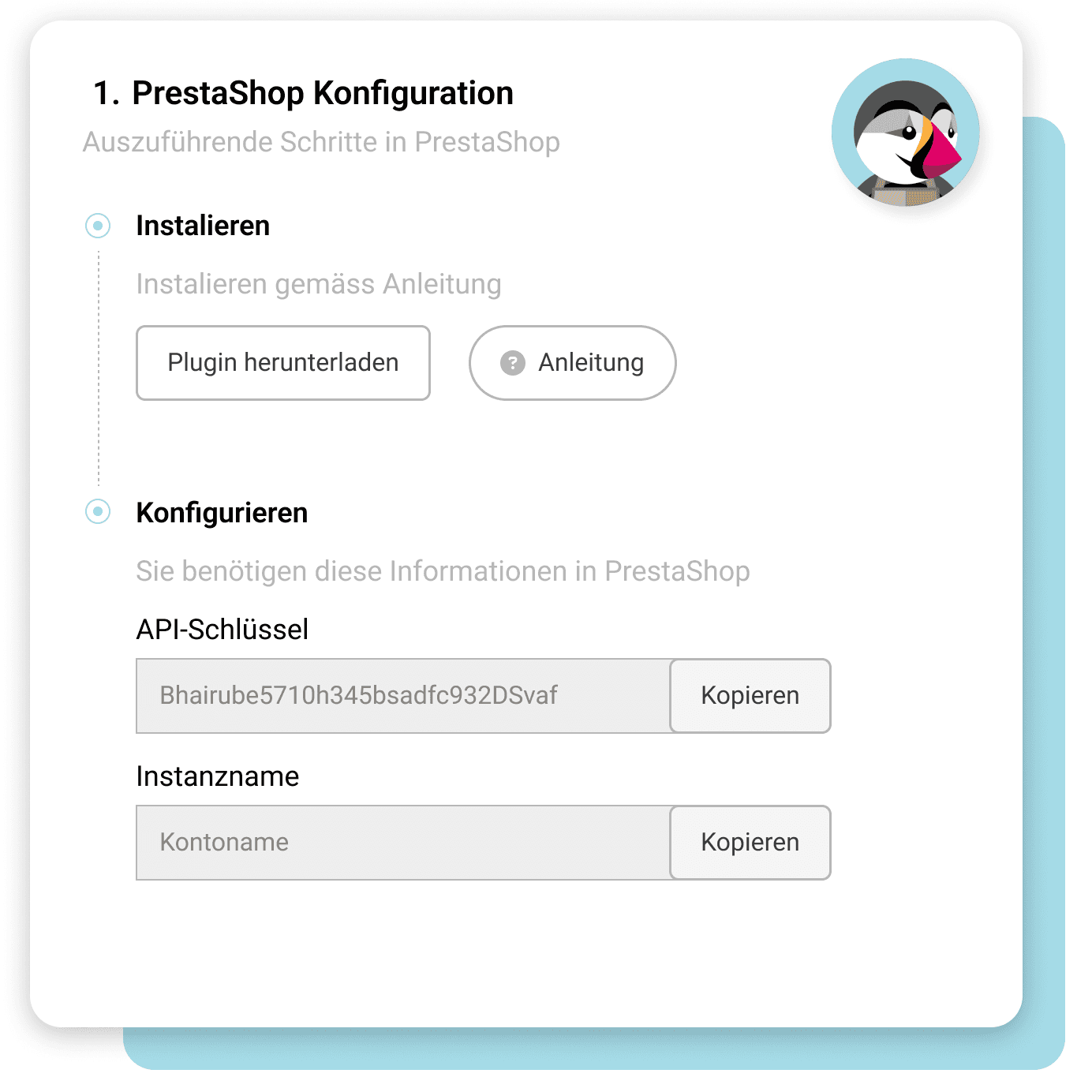
After logging in, you navigate to "Modules > Module Manager" and upload the prepared ZIP file there using the upload button. You first create the connection data in the Payrexx merchant administration under "API and Integrations" by clicking on "Add" next to PrestaShop.
Can you customise the payment page to match your PrestaShop theme?
Look-and-feel settings are supported by the PrestaShop plugin, allowing the payment page to match the colours and logo of your shop. In addition, the payment method logos already appear in the checkout, which reduces purchase abandonments in the final step.
Does the PrestaShop plugin support multiple currencies?
Multi-currency capability is part of the functional scope, as are shopping cart transmission and status feedback via webhook. Subscription
Which Payrexx package do you need for PrestaShop?
Integration into prestashop is available in the Payrexx STANDARD and PREMIUM plans and is not included in the free plan. You can see which features are included in each plan on the pricing page.

